Kofe Flow
Why it worksReviewsPrivacy
Menu
Why it worksReviewsPrivacyHomeDownload
Download

Menu bar Pomodoro timer

A Pomodoro timer in your Mac menu bar.

Keep the countdown visible and control each block without reopening another window.

Download on the App Store See the menu bar workflow

Free to start · No account · No subscription

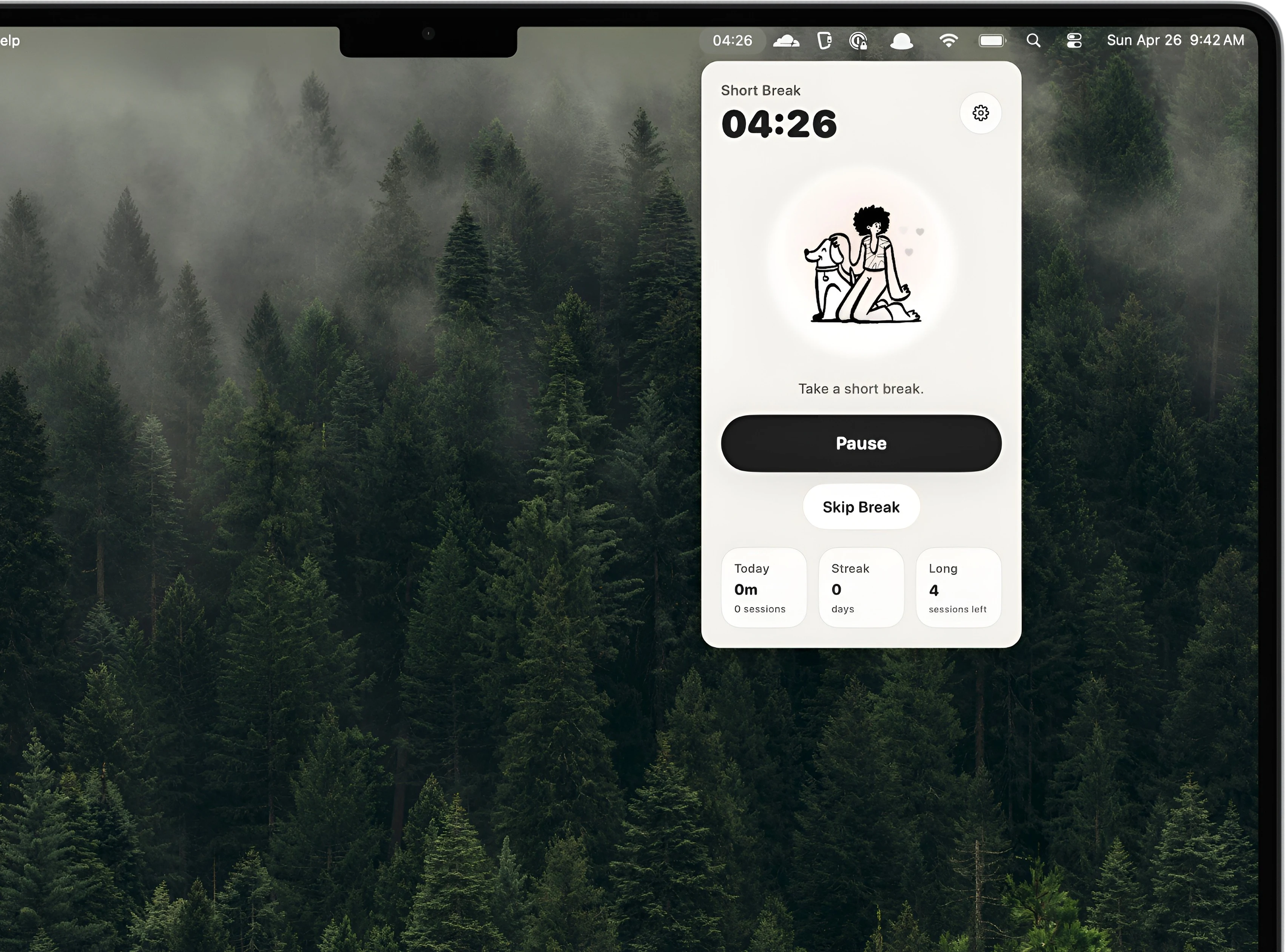
04:26
Kofe Flow timer controls opened from the Mac menu bar
7,000+Mac users
4.8 / 5App Store rating
Featuredby MacVince
One-time Prono recurring subscription

Always where you can see it

Your focus timer, without another window.

The timer stays glanceable while the work keeps the screen.

Always in sight.

See the countdown in the Mac menu bar while you write, code, study, design, or join a call.
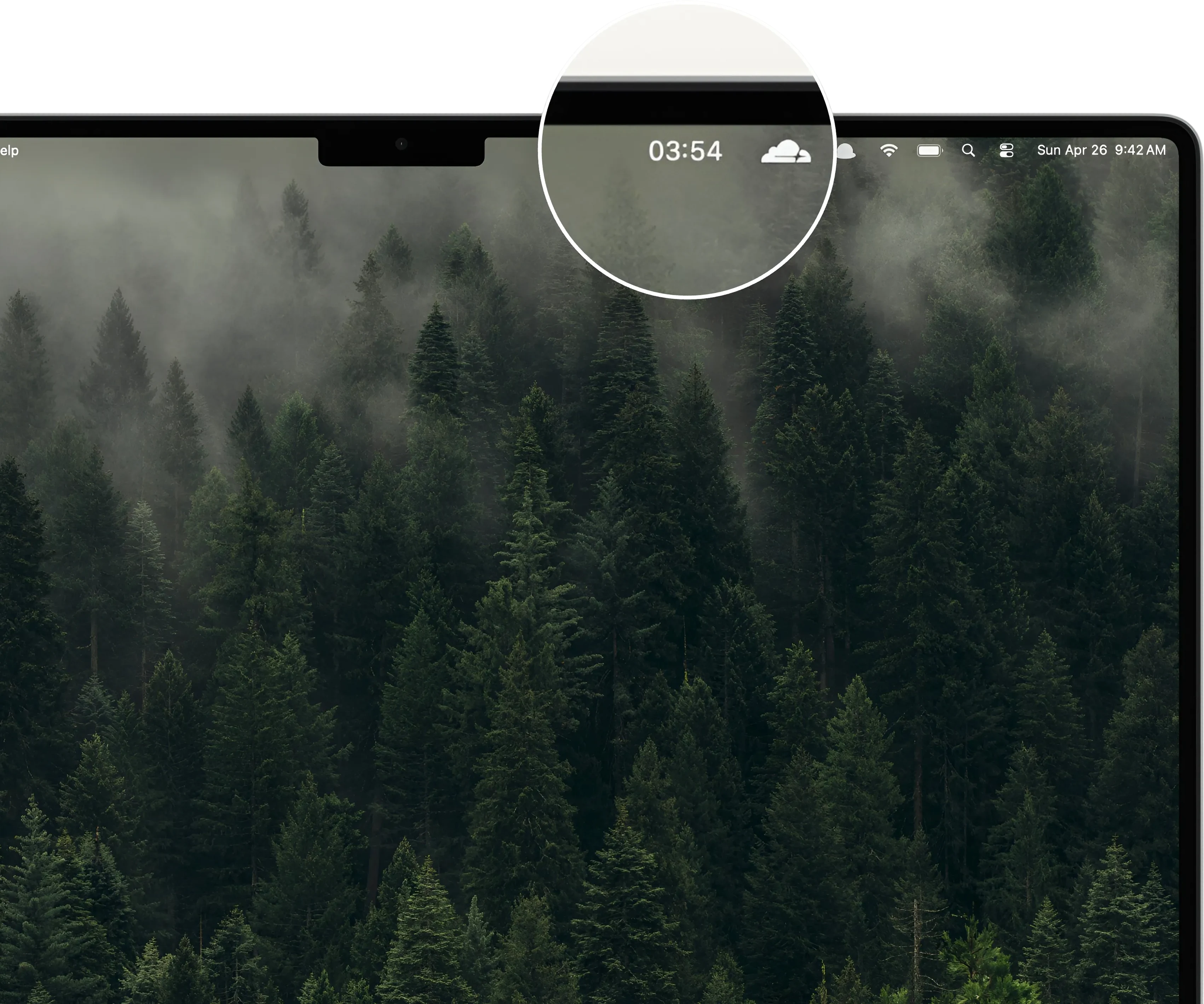
Kofe Flow countdown visible in the Mac menu bar

Control from anywhere.

Start, pause, extend, skip, or reset from the compact menu without returning to a dashboard.

Kofe Flow compact Pomodoro controls from the Mac menu bar

Context when useful.

Open the full app only when you want history, streaks, optional activity, or deeper settings.
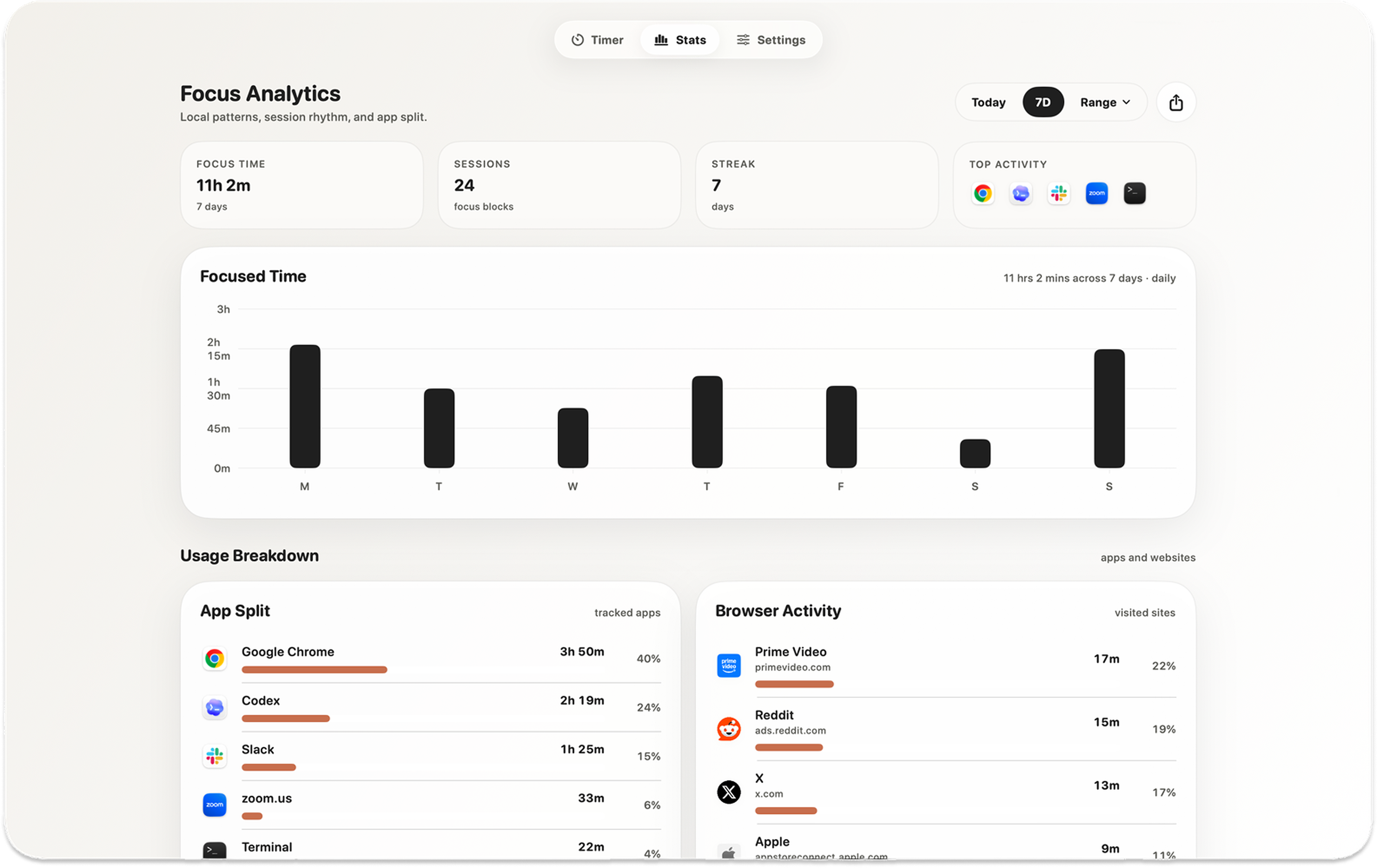
Kofe Flow local focus analytics showing time, streaks, apps, and websites

Less window switching

One small timer. No tab clutter. No phone detour.

A browser timer gets buried and a phone can become the distraction. Kofe Flow keeps the current block in the Mac interface you already glance at.

  • Keep the remaining time visible beside the macOS status icons.
  • Use compact controls without covering the work underneath.
  • Start sessions with a global shortcut when even one click feels unnecessary.
  • Move into short or long breaks without opening a browser tab.
Kofe Flow native menu bar Pomodoro timer dashboard

Featured by MacVince

“A simple but beautiful Pomodoro timer.”

See Kofe Flow in a creator’s roundup of useful Mac apps, then hear the same themes from people using it every day.

★★★★★
“Love how this timer just sits in my menu bar and quietly keeps me going.”
Easy to stick with · Mac App Store review

Private by design

Your work stays yours.

The timer and detailed focus history work locally, without requiring an account. Optional app and website activity remains on that Mac.

  • No session replay, screenshots, document contents, or window titles.
  • Optional sync is limited to timer state and completed history.
  • Limited event-only product analytics never sends app names or website domains.
Read the privacy policy →

Simple pricing

Free to start. One purchase for Pro.

Use the core timer for free. Unlock global shortcuts, extra sounds and icons, Smart nudges, and deeper history with one purchase.

No recurring subscription.

Download on the App Store

Before you download

Menu bar Pomodoro timer FAQ.

Does the countdown stay in the Mac menu bar?

Yes. The remaining focus or break time stays visible while you use other apps.

Can I control it without opening the full app?

Yes. Start, pause, extend, skip, and reset controls are available from the compact menu bar interface.

Does Kofe Flow work offline?

Yes. The timer and detailed focus analytics work locally on your Mac without an account.

Is Kofe Flow a subscription?

No. The core timer is free to start, and optional Pro features are available as a one-time purchase.

More ways to explore Kofe Flow: Pomodoro timer for Mac · focus timer for Mac · menu bar timer for Mac · work timer for Mac

Keep the next block in sight.

Download Kofe Flow for Mac and put a quiet Pomodoro countdown where your work already happens.

Download on the App Store Free to start · No account · macOS
Kofe FlowMade for macOS. Built with focus.
ProductWhy it worksReviewsSupportPrivacy
GuidesFocus timer for MacMenu bar timerBest Mac timers
CompareFlow vs Session vs Kofe FlowFlow alternativeSession alternative
© 2026 Kofe FlowTermsPrivacy