

Choose Kofe Flow if...
You want to start a timer fast, keep time visible in the Mac menu bar, and review local focus history without accounts or recurring subscriptions.
Mac Focus App Comparison
Flow and Session are bigger focus systems. Kofe Flow is the calmer choice when you just want focus blocks, clean breaks, menu bar control, and private history.
Kofe Flow is not affiliated with Flow, Yugen GmbH, Session, or Translucent LLC.

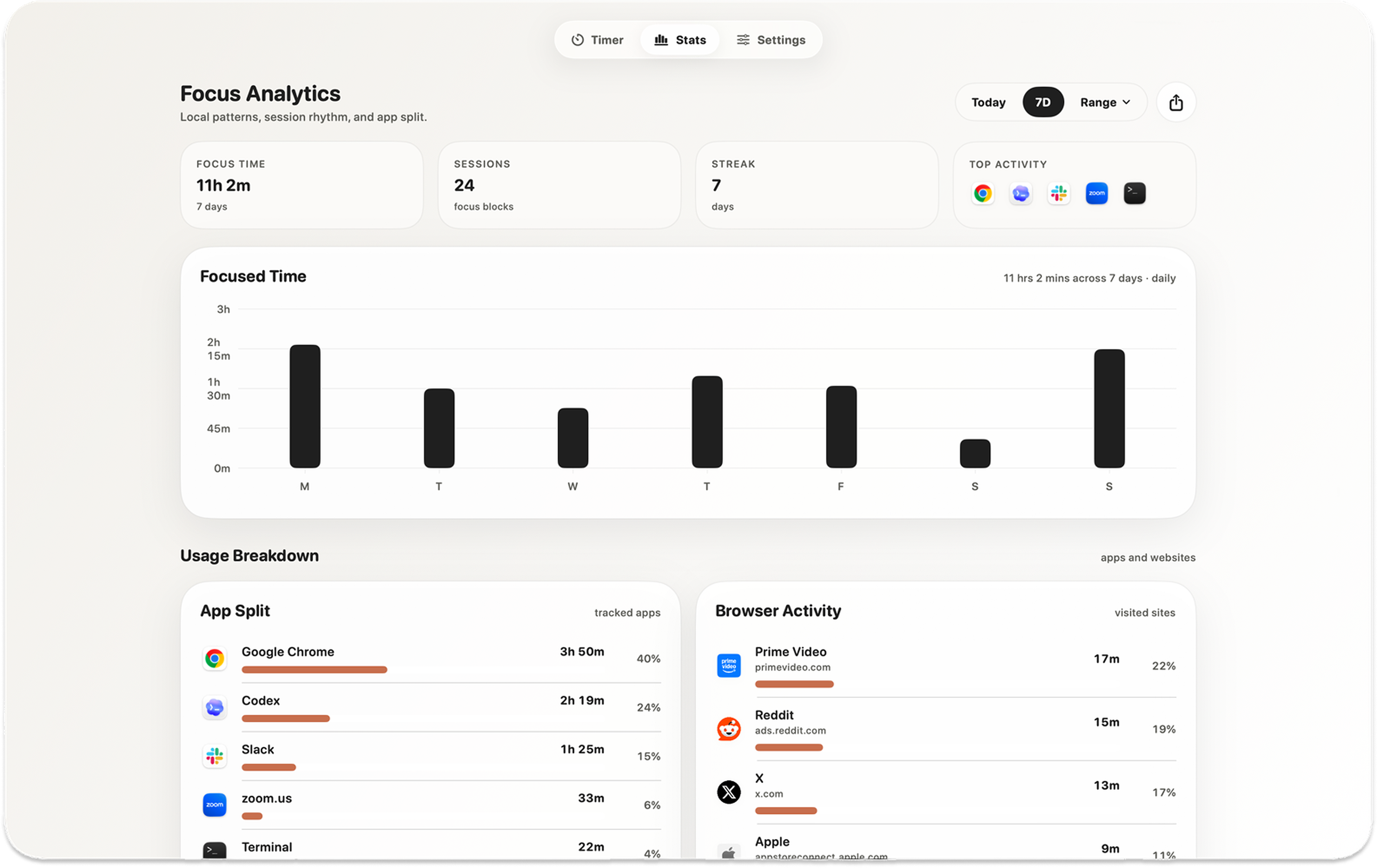
Screenshot note Kofe Flow keeps the timer local and menu-bar-first, while richer focus apps can make sense when planning is the main job.
| App | Best fit | Workflow | Tradeoff |
|---|---|---|---|
| Kofe Flow | Private Mac menu bar Pomodoro timer | Timer, breaks, private history, optional Smart nudges | Not a calendar, notes, categories, or blocking system |
| Flow | Polished Apple ecosystem focus app | Broader focus product across Apple devices | More product surface than a local-only timer |
| Session | Advanced focus tracking and planning | Categories, notes, calendar, sync, and richer reporting | Can be more than needed if you only want a timer |
You want to start a timer fast, keep time visible in the Mac menu bar, and review local focus history without accounts or recurring subscriptions.
You want a polished focus app experience across Apple devices and are comfortable with a broader feature set.
You want categories, notes, calendar workflows, sync, and deeper focus management.
If you want the app to manage the whole focus process, Flow or Session may be a better fit. If you already have your tasks elsewhere and only need a calm Mac Pomodoro timer, Kofe Flow keeps the surface smaller.
Only if you want a simpler Mac timer. Flow is broader; Kofe Flow is intentionally timer-first and local-first.
Yes for users who want less planning surface and more menu bar simplicity. No if you rely on Session's advanced tracking workflow.