Session Alternative
A simpler Session alternative for Mac.
Session is a rich focus app with advanced tracking and planning. Kofe Flow is smaller: a menu bar timer for clean focus blocks, private history, and fewer decisions.
Which fits your day?
Choose Kofe Flow if...
You want to start a timer fast, keep time visible, and review local focus history without creating an account.
Choose Session if...
You want categories, notes, calendar integrations, and a richer focus management product.
The real difference
Kofe Flow intentionally avoids becoming a planning system. It is a local timer with enough analytics to stay honest.
Session vs Kofe Flow
| Need | Kofe Flow | Session |
|---|---|---|
| Best fit | Simple private Mac Pomodoro timer | Advanced focus tracking, notes, categories, calendar, and sync workflows |
| Menu bar | Core workflow with visible countdown and quick controls | Mac focus app with richer product surface |
| Privacy posture | No account, ads, or cross-app tracking; limited event-only product analytics; optional Pro timer and history sync | Public App Store listing includes several data categories and in-app purchases |
| Cost posture | Free to start, optional Lifetime Pro, no recurring subscription | Free with subscriptions according to App Store listing |
When a smaller Session alternative makes sense
- You want fewer decisions: Kofe Flow does not ask for projects, categories, notes, or calendar setup before a timer starts.
- You want a menu bar timer: The countdown stays visible on Mac while the full dashboard remains optional.
- You want private history: Focus history is useful for personal review without requiring sync or an account.
- You need advanced tracking: Re-check Session's current App Store listing if notes, categories, or calendar workflows are core requirements.
A closer look at Kofe Flow
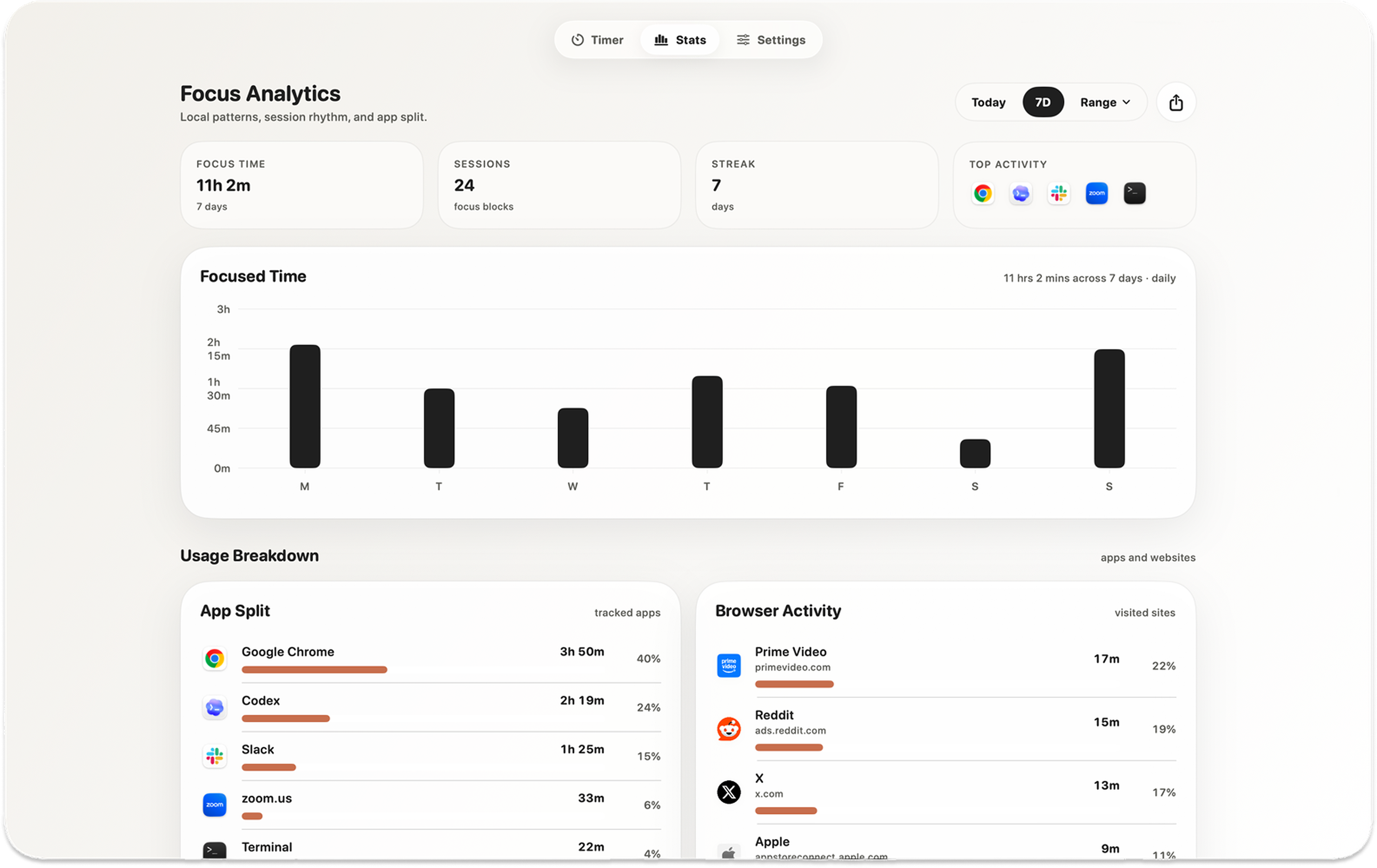
Kofe Flow for Mac & iPhone
Make room for your next focus block.
Free to start. No Kofe Flow account. Optional one-time Pro.